


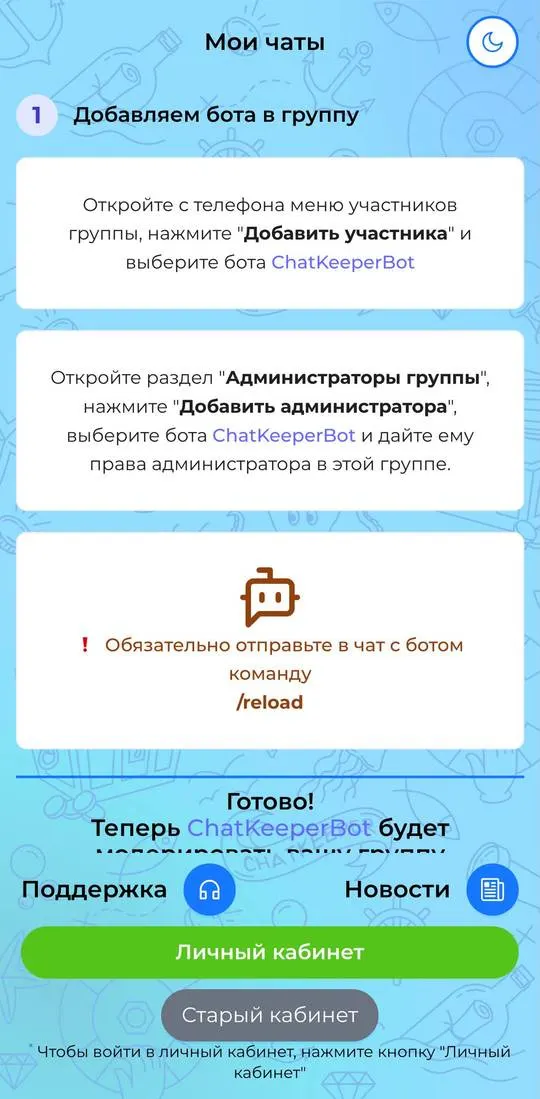
ChatKeeperBot is a bot for moderating Telegram groups. The main screen, “Мои чаты”, holds the instructions for connecting the bot; the interface is in Russian.
First steps
The screen describes three actions:
- On your phone, open the group's member menu, tap “Добавить участника” and choose the ChatKeeperBot bot.
- Open the “Администраторы группы” section, tap “Добавить администратора”, choose the bot and give it administrator rights in that group.
- Be sure to send the /reload command in the chat with the bot.
After that the screen says the bot will moderate the group.
Where things are
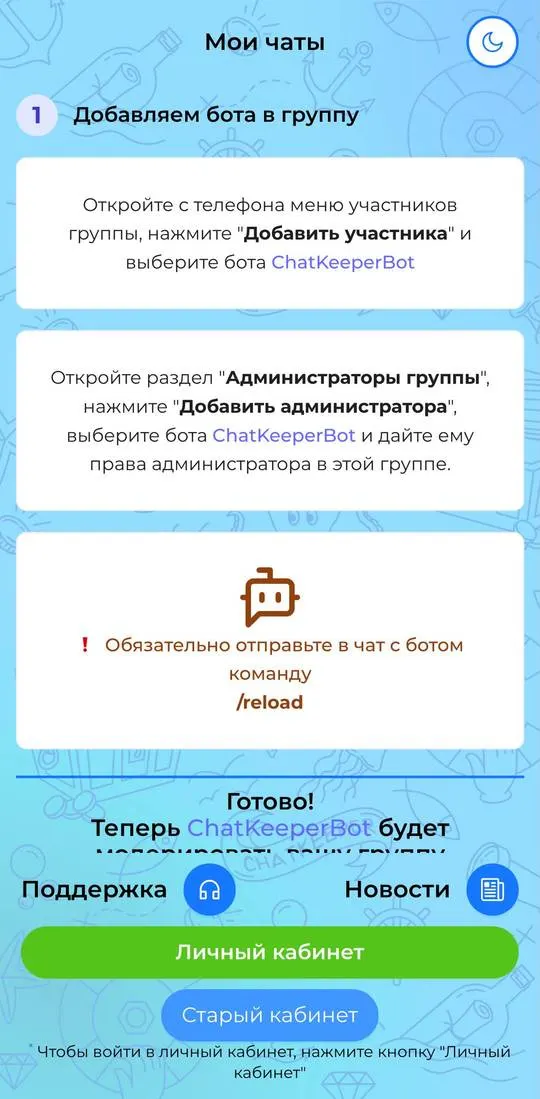
In the lower part of the screen there are the buttons “Поддержка” and “Новости”, a green “Личный кабинет” button and a grey “Старый кабинет”. The note under them says that to enter the personal account you need to tap “Личный кабинет”. In the header there is a theme switch icon.
Not checked
- The personal account and the old account.
- Moderation settings, filters and bot actions.
- Whether there are paid features and what they cost.