


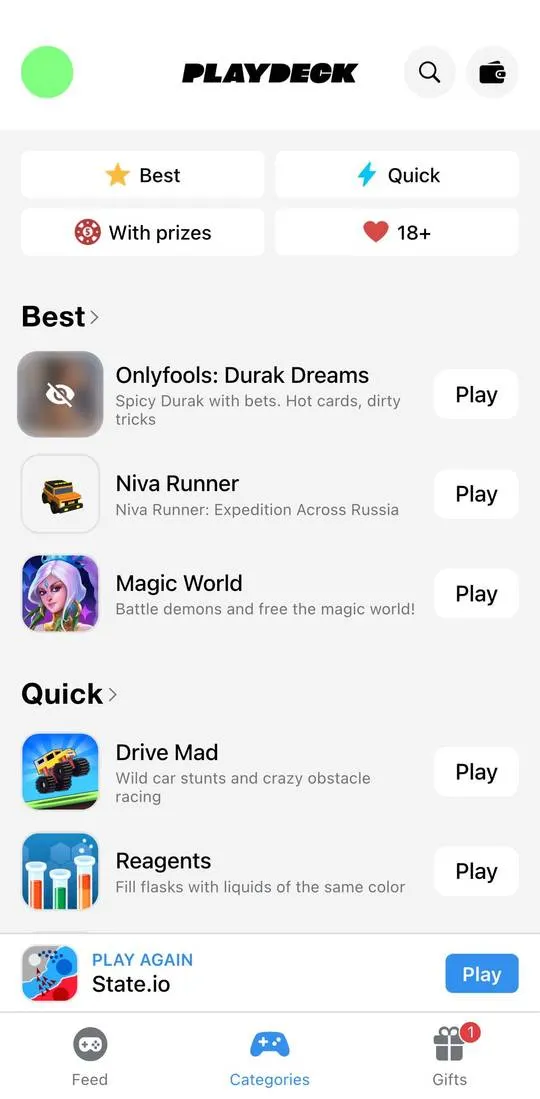
PlayDeck is a catalog of mini games inside Telegram. There are three tabs at the bottom: “Feed” with a selection of new releases, “Categories” with lists of games and “Gifts” with a prize wheel and tasks. The interface is in English. Above the wheel it says “1 ticket = 1 spin”.
First steps
- Open the “Categories” tab at the bottom of the screen.
- Tap the “With prizes” tile at the top: a numbered list of games opens.
- Tap a game name in the list, for example “ExCavator”: a card opens with the genre “Strategy”, a rating of 4.6, an age of 4+ and 246 players.
What costs money
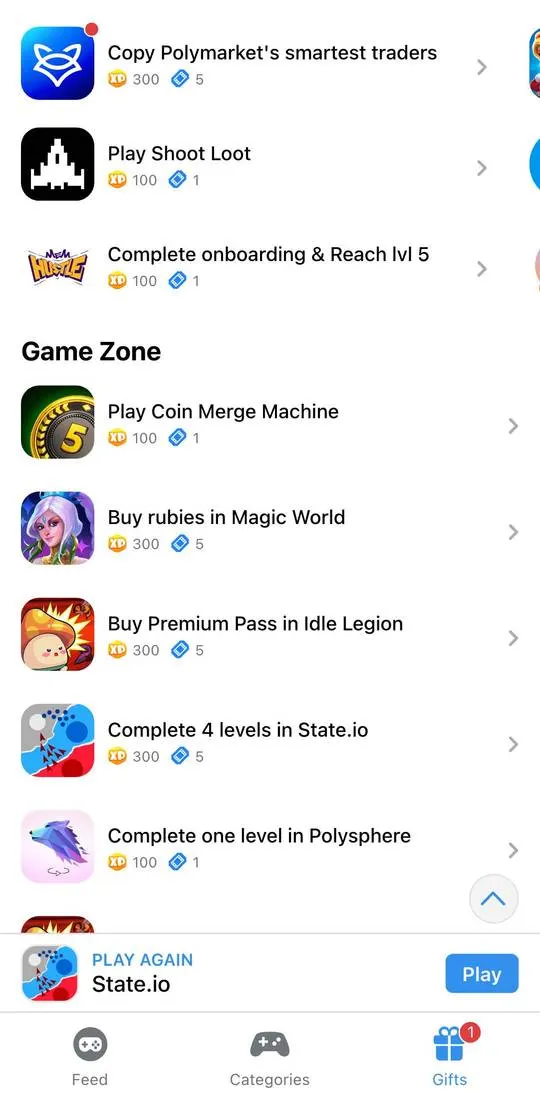
The wheel boost “Spin ×10 faster” is labeled “For 50 stars for 24 hours”. The “Show ads” switch is labeled “No ads with subscription”. Tasks have rewards next to their names: “Play Shoot Loot” gives 100 experience points and 1 ticket, and “Buy rubies in Magic World” and “Buy Premium Pass in Idle Legion” give 300 experience points and 5 tickets each.
Where things are
- “Feed”: the heading “What's new” and large game cards with a rating over the image (4.86 for “Magic World”, 4.32 for “Niva Runner”).
- “Categories”: the tiles “Best”, “Quick”, “With prizes” and “18+”, below them “Best” and “Quick” blocks with games and a “Play” button on each. In the “With prizes” list the first rows are “ExCavator”, “MatchTon PvP Battle”, “RoyalStars”.
- “Gifts”: the wheel, the counters “0/6.3K XP” and “0/118 Wheel Tickets”, a “Hot tasks” list and a “Game Zone” block.
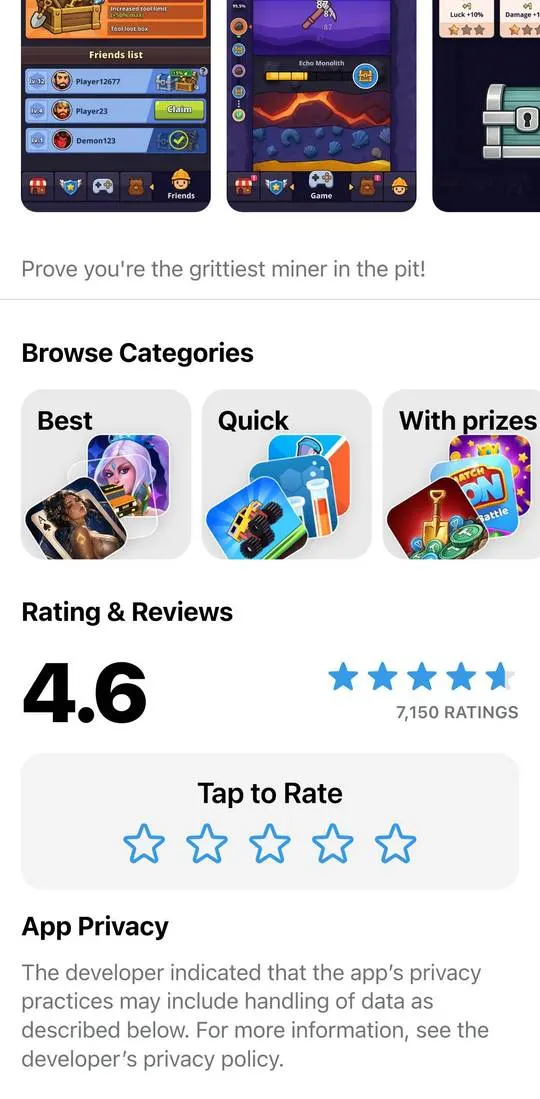
- Game card: rating, age, number of players, screenshots, description, a “Browse Categories” row, “Rating & Reviews” and “App Privacy”.
- At the bottom, above the tabs, hangs a “PLAY AGAIN” strip with the last game, “State.io”.
Not checked
- Launching a game with the “Play” button: what opens and whether there are payments inside.
- The “Spin the Wheel” button, “Spin ×10 faster” and payment with stars.
- The wallet and the search in the header.
- The “18+” selection and age confirmation.
- How tasks are completed and when points and tickets are credited.
