Telegram for iOS has prepared for the foldable iPhone Duo, which Apple began selling on October 23. The bulk of the work is available in the open-source Telegram-iOS repository, in a single commit c8bb114b from October 9: 12,889 lines added and 2,940 removed. On the Duo, the Back button moves to a side strip at the edge of the screen, the tab bar becomes vertical, and stories on the large inner screen open as a card, similar to an iPad. The final Duo-specific changes were merged into the code on October 22, less than an hour before the version number changed to 13.1.1, and 13.1.1 was released to the App Store that same evening. These changes primarily affect Duo owners: on other iPhone and iPad devices, the layout remains the same, apart from a few incidental bug fixes.
What Changes on the Duo Screen
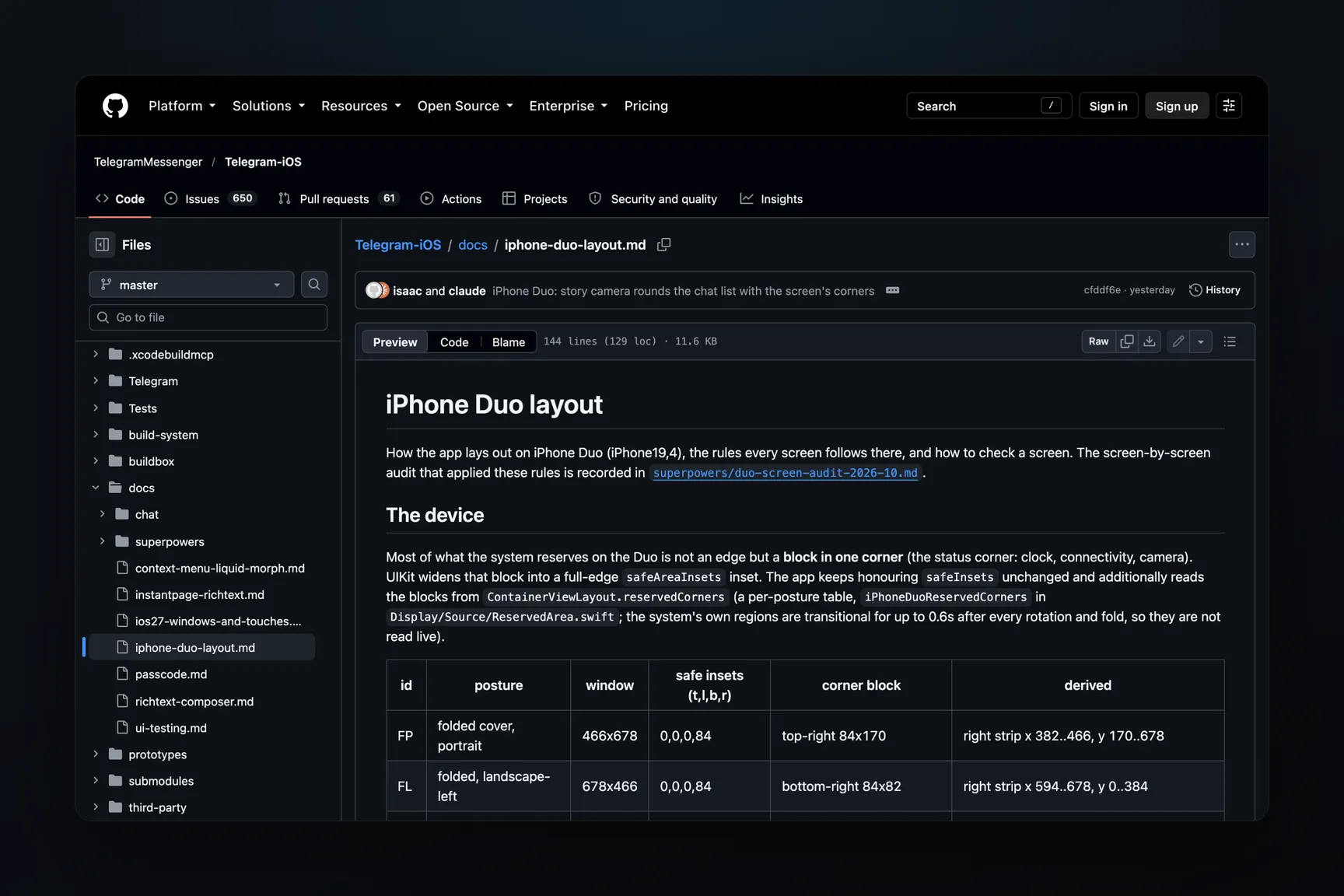
The main rule is documented in the guidelines located in the repository alongside the code: the Back or Close button is placed in the side strip, if present. Standard screens handle this automatically, while screens with custom headers obtain the button's position from the general layout.
- Chat. The header is divided into a top row and a side column. The column contains the Back button and the interlocutor's avatar, while the input field extends to the edge of the strip if it is free.
- Chat List and Profile. Buttons move into the strip, and the title is centered within the remaining screen area.
- Tab Bar. Instead of a horizontal strip at the bottom, there is a vertical capsule in the side strip, aligned to the bottom. On the inner screen, where the list is on the left and the chat on the right, there are no labels under the icons.
- Buttons at the bottom of the screen (Continue, Send, selection panels) stretch to full width, including the strip. Exceptions: small centered buttons (record button, Done on camera preview), tall scrollable sheets like Share, and input fields that grow upwards. These remain in the main area of the screen: a small button would otherwise shift 42 points off the content axis, buttons in the corners of a tall sheet would reach the corner block, and an input field occupies the width of its lines.
- Stories on the unfolded screen are displayed as a 9:16 card in the center with a blurred background, similar to an iPad. Without this adjustment, stories would stretch across the entire screen and be cropped.
- Done on screens with an "Edit/Done" toggle remains in the top row. Previously, it would jump from the row into a circle in the side column.
Why Duo Needs Its Own Layout
On a regular iPhone, the system reserves screen edges: a notch with the clock at the top, and the home indicator strip at the bottom. On the Duo, the reserved area is a rectangular block in one corner, housing the clock, connectivity icons, and camera. iOS extends this block to a full-height edge inset, causing an app that simply adheres to system insets to lose an 84-point wide strip along the edge. Telegram continues to respect system insets, but it retrieves the sizes of corner blocks from its own table for each device orientation. Live system values after rotation and folding are transitional for up to 0.6 seconds, so they are not read directly.
| Orientation | Window, points | Corner Block | What remains on the side |
|---|---|---|---|
| Folded, portrait | 466 × 678 | top right, 84 × 170 | strip on the right below the block |
| Folded, rotated left | 678 × 466 | bottom right, 84 × 82 | strip on the right above the block |
| Folded, rotated right | 678 × 466 | top left, 84 × 84 | strip on the left below the block |
| Unfolded, portrait | 669 × 951 | top right, 134 × 82 | no strip, "status island" at the top |
| Unfolded, landscape | 951 × 669 | top right, 84 × 120 | strip on the right below the block |
This leads to the primary pitfall, which the guidelines list first: a folded Duo has a side inset in portrait orientation, whereas any iPhone app's code typically assumes no side insets in portrait.
Three other device characteristics required code changes:
UIScreen.mainon Duo always returns the cover screen, even when the phone is unfolded. Backlight for front camera photos and video messages, brightness for QR code display, and automatic night mode were changing the brightness of the wrong screen.- The corner radii of the cover screen are different: 8 points on the hinge side and 59 on the outside. The inner screen has all corners at 55 points. Sheets, screen transitions, and the chat list shift when opening the stories camera are now rounded individually for each corner.
- An unfolded horizontal Duo is considered a "regular width" screen by the system, like an iPad, even though it's a phone. "Is this an iPad?" checks based on screen width were broken, and an unfolded Duo does not perform screen rotation from within an app at all.
How layout errors appeared
The guidelines list typical errors that are unnoticeable on other devices because left and right insets are equal there. The left edge inset was being applied to the right as well. A block with the width of the main screen area would be centered across the entire screen and shift 42 points towards the strip. A button at the right edge would be offset from the left inset. The 9:16 camera preview would appear above the screen: on a folded Duo, by 150 points. Bottom buttons, offset from the screen edge using old constants for iPhones with a Home button, would land on the home indicator strip. Every fix must revert to the original expression when there are no corner blocks and insets are equal, so other devices render byte-for-byte the same as before.
How 298 Screens Were Audited
The progress of the work is documented in the screen audit report. The feature/reserved-corners branch was active from September 25 to October 9, with the audit itself taking place on October 8 and 9. A total of 298 screens were audited, meaning all app view controllers except for two test stubs. These were reviewed by AI agents prohibited from changing code, and each screen received a line in the audit table: a finding or a reason why no fix was needed. Corrections were made only within their respective files, and three human reviewers cross-referenced each diff against the rules. The main commit and almost all subsequent ones were co-signed by Claude Opus 5.5. In total, according to the commit message, approximately 65 findings were addressed.
Along the way, more serious errors than uneven insets were also discovered:
- The "Chat Themes" screen would crash on scroll because list elements were not created on the main thread.
- A button in the live stream settings on Duo was wider than the available space next to the strip and extended 12 points beyond the screen edge.
- The Telegram Passport authorization button in folded horizontal orientation appeared beneath the corner block.
Screen checks were performed in the Duo simulator with iOS 27.1. Folding and unfolding the simulator from the command line is not possible, so most of the fixes for the unfolded horizontal orientation were only verified by building and reviewing the code. This is explicitly noted in the "Gaps" section of the report. Also included there are screens that were not available on the test account: Premium subscription buttons (the account already had a subscription), chat import, and live calls.
What Was Completed Before Device Release
After the main commit, Duo-specific fixes continued. On October 18, adjacent stories stopped peeking into the side strip: on a regular phone, they are off-screen, but on the Duo, a piece of another story was always visible under the clock. On the same day, the wallet tab switcher and avatar animation in the side column were corrected. On October 22, the stories camera and editor raised buttons above the home indicator, and the search field in the chat list on the unfolded horizontal screen stopped disappearing halfway beyond the top edge.
In the versions.json file, version number 13.1.1 appeared on October 22 at 12:11 UTC, nine minutes after the last Duo-specific fix. Version 13.1.1 was released to the App Store on the same day at 18:45 UTC, with the description "Bug fixes, minor improvements, and more." iPhone Duo is listed in the app's device compatibility list, but this list only indicates that the app can be installed, not that it has been adapted for the screen. The build received by Duo owners matches the open-source code by number and date, but the binary from the App Store itself was not compared against the code.