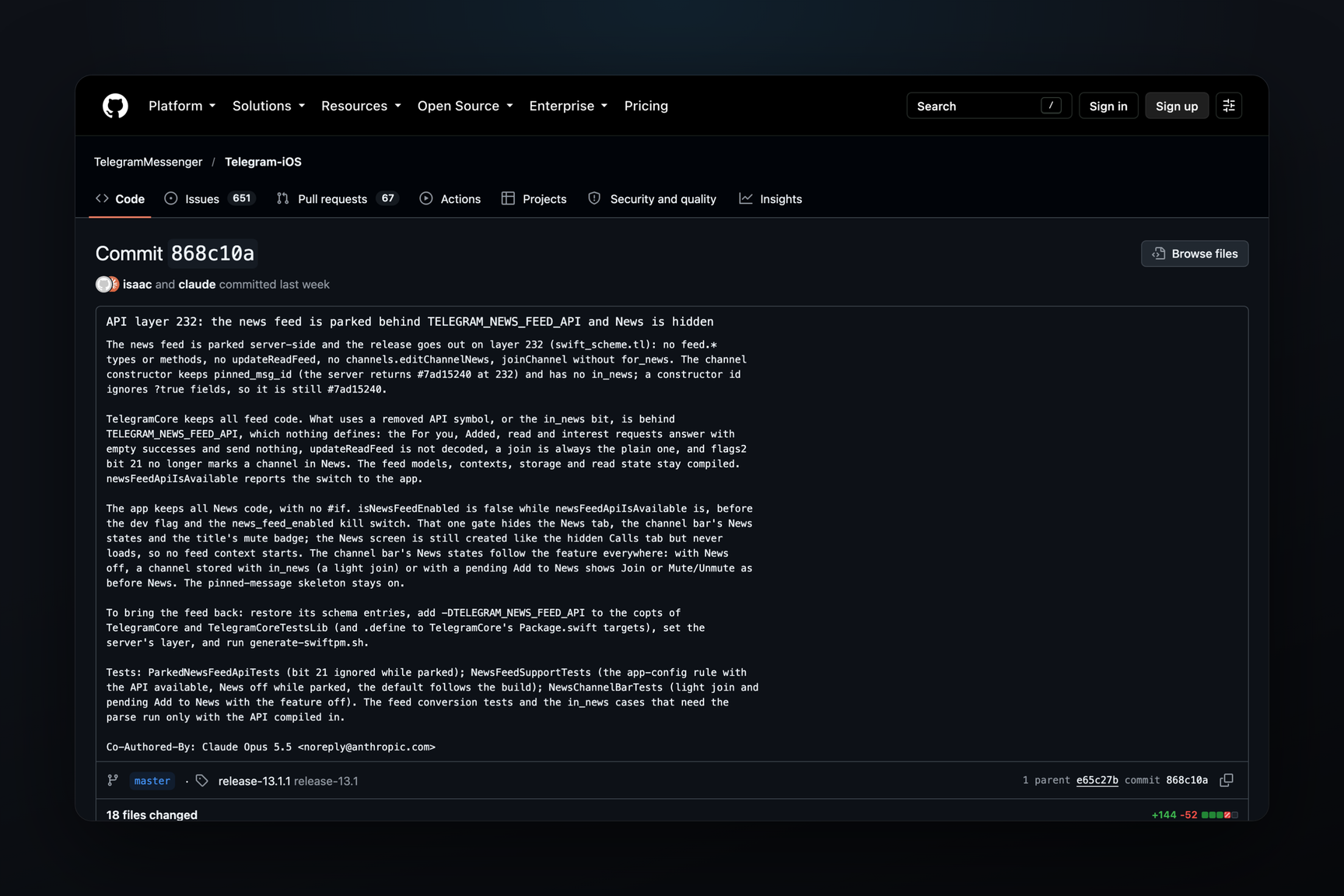
The Telegram server provides a list of topics for the future recommendations feed — there are nine: AI, Crypto, Biotech, Games, Sport, Health, Psychology, Politics, and Inspiration. The response is identical on both the production and test servers. The feed is not yet available to users: on October 16, Telegram itself disabled it in the iOS client's code and removed the feed's methods from the build using a compilation flag.
Nine Topics
The list is returned in response to the feed.getInterestCategories method. It was recorded on the production server on October 25 at 08:04 UTC, and at the same minute on the test server, with identical responses:
| No. | Icon | Topic |
|---|---|---|
| 1 | 🤖 | AI |
| 2 | 💎 | Crypto |
| 3 | 🧬 | Biotech |
| 4 | 🕹 | Games |
| 5 | ⚽️ | Sport |
| 6 | ❤️ | Health |
| 7 | 🧠 | Psychology |
| 8 | 🏛 | Politics |
| 9 | ✨ | Inspiration |
As early as October 16, this same list was obtained from the server by restoring API layer 232's schema — meaning the server had been responding to topic requests since at least mid-month.
Each topic has a number, an icon, and a name. The topic schema also includes another field: a link to a custom emoji, so regular icons can later be replaced with animated ones.
How the Feed Works
The open-source code for Telegram-iOS fully reveals the feed's mechanics: on October 22, commits with the feed engine, written between October 13–16, appeared in the public repository.
- News tab. It is placed between chats and settings and is divided into two sections: "For you" for recommendations, and "Added" for posts from channels you've added to the feed yourself.
- Interest selection. The "What are you interested in?" screen sends the numbers of selected topics to the server using the
feed.setInterestCategoriesmethod — which is described in the client's API schema. The server can also insert such a selection block directly into the feed, between posts. - Post evaluation. A post can be swiped as "Interesting" or "Not Interested". After hiding, the client asks for a reason: not to show posts from this channel, not to show similar posts, or to remove the channel from News.
- Channels for the feed. Joining a channel now has a separate flag — a channel can be added specifically to News, and the client indicates this with the hint "added to News tab".
Posts in the feed arrive one by one or as albums. The unread counter is sent by the server, a "New posts" banner pops up above the feed, and there's a "Mark All as Read" option in the menu.
Why the Feed Is Not Yet Available
On October 16, iOS client developers recorded that the feed was "parked" on the server side, and prepared a release on API layer 232 without the feed methods, and hid the News tab. It is hidden by the TELEGRAM_NEWS_FEED_API build flag, which is not set in the release. The server key news_feed_enabled only disables the feed; without it, the feed is considered enabled. This key is not present in the configurations of the production and test servers. The feed methods are also absent from Telegram Desktop and TDLib schemas.
The server, judging by its response to topic requests, is already preparing for the feed: both servers provide the list of topics. Whether it responds to requests for the recommendations feed itself is not yet visible.
What Has Changed Since October 15
The interest selection screen and the "For you" tab were found in mid-October only in the Telegram for macOS beta — in the compiled application, without source code. At that time, neither the list of topics nor the method signatures were known. Now, both the topics and the methods are known, as are the evaluations the client offers to the reader.