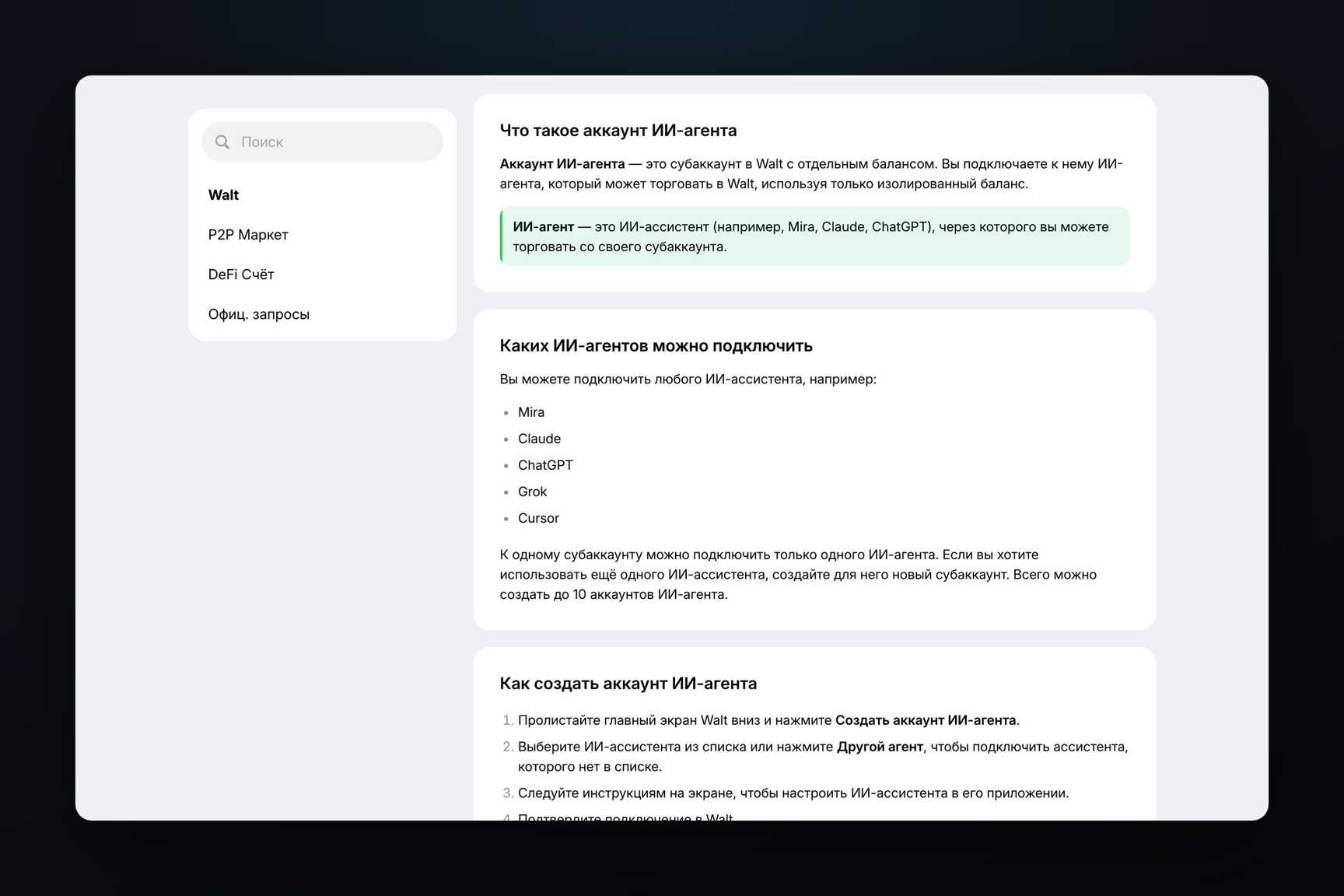
On October 20, Walt – formerly Wallet in Telegram – launched agentic accounts: subaccounts with separate balances, from which a connected assistant can trade perpetual futures. You can connect ChatGPT, Claude, Grok, Cursor, the @mira bot, or any other agent. Each agent's transaction must be confirmed by the account owner, and the agent cannot withdraw funds.
How to Set Up an Agent Account
According to Walt's help article, there are four steps:
- Scroll down the main Walt screen and tap "Create agentic account".
- Select an assistant from the list or tap "Other bot" if the one you need isn't there.
- Configure the assistant in its own application according to the on-screen instructions.
- Confirm the connection in Walt.
One agent can be connected to one subaccount. For a second assistant, a second subaccount is created; you can have up to ten in total. Subaccounts are funded and withdrawn in USDT, with no limits or transfer fees.
Walt does not publicly describe how the assistant connects to Walt, what server address it receives, or what commands are available to it. The announcement only states "specify the agent and connect it," and the help article refers to on-screen instructions.
What an Agent Can and Cannot Do
| Can | Cannot |
|---|---|
| Analyze the market and suggest ideas and strategies | Fund the subaccount or withdraw money from it |
| Open and close positions | Perform operations on the main Walt account |
| Set take profit and stop loss | Manage the main balance |
| Operate when the Walt app is closed |
For each trading operation, the agent sends a request, and the transaction only proceeds after the owner's confirmation. Trading conditions are described to the agent in plain language, without special commands. Agent transactions are visible in the "Transactions" section on the subaccount page.
When the Assistant Runs Out of Requests
A paid subscription for the assistant is not required for connection. However, in case the assistant runs out of requests, the help article explicitly warns: the agent will not be able to use the subaccount until the request limit refreshes, and manual management of that subaccount is also not possible during this time.
To close positions at such a moment, the help article advises stopping the account: tap the three dots on the subaccount page, then "Stop account". Stopping the account disconnects the agent, closes all open futures positions with a fee, and returns the funds to the main balance. If you later create a subaccount with the same assistant, the stopped one will be restored, and previous strategies can be continued or started anew.
Fees and Limits
Agent subaccounts are subject to the same trading fees and limits as the main account. The fee depends on the monthly trading volume: as of October 13, it is 0.9% for the basic tariff, 0.6% for a volume of $300 or more, 0.3% for $2,000 or more, and 0.09% for $30,000 or more.
Position limits are calculated separately for each account: one open position per contract per account. Therefore, for the same futures contract, you can simultaneously hold a long position on the main account, a short position on one agent subaccount, and another long position on a different agent subaccount.
Walt bonus points for agent transactions are accrued in the same way as for transactions on the main account.
How Futures Came to Walt
Perpetual futures appeared on April 2, 2026, when the service was still called Wallet: trading is conducted via the decentralized exchange Lighter, with over 50 markets at launch, leverage up to 50x, and entry from $1. In late September, Wallet became Walt.
The agent account is the third of five updates in the Walt Street series. The first, on October 7, introduced favorites on the main screen, and the second, on October 13, brought new fee tariffs.