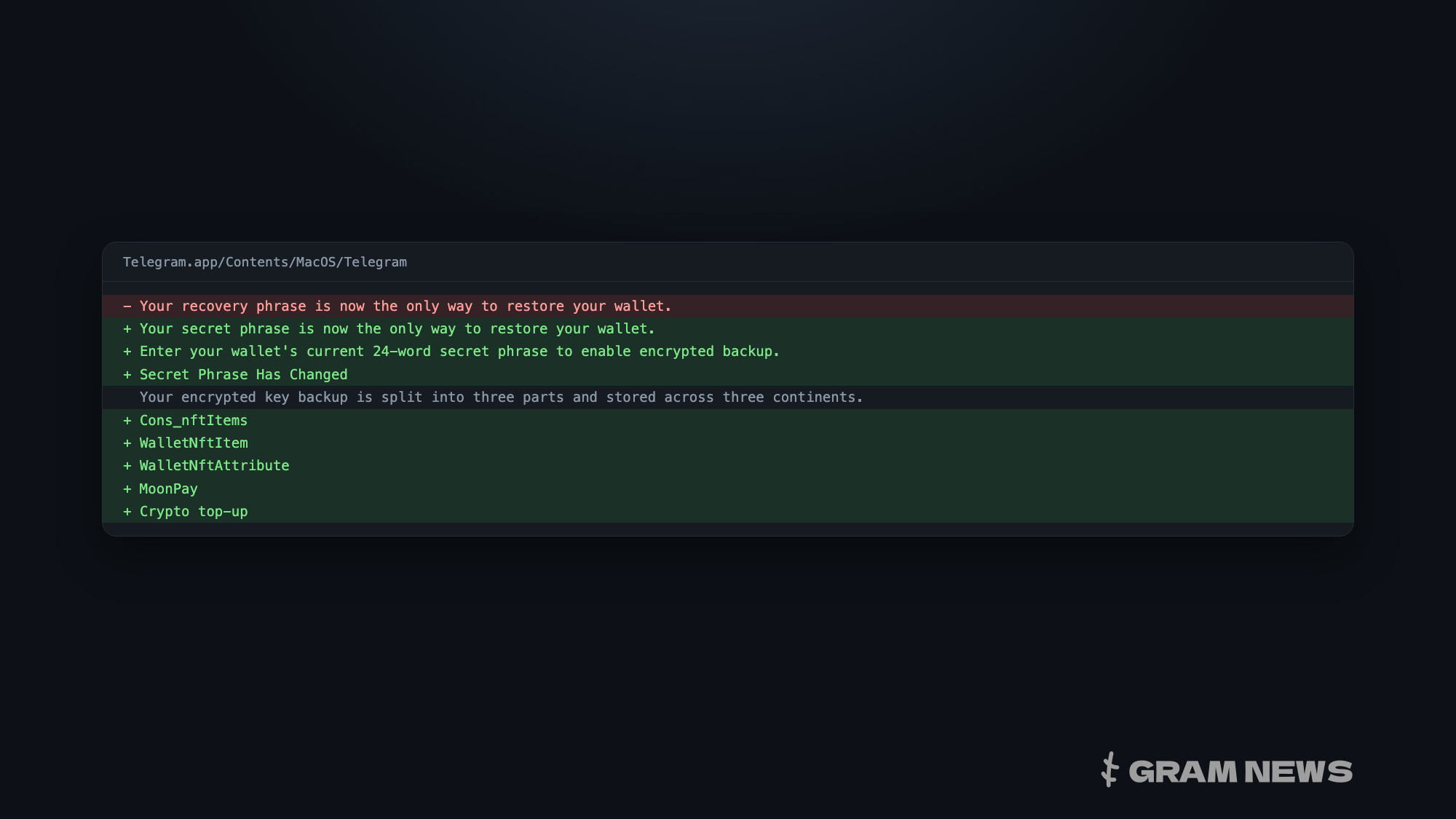
The code of Telegram's new macOS beta build contains NFT display in the wallet, the name MoonPay next to card top-up, and rewritten screens for the encrypted backup of the seed phrase. Build 12.10.283234 was released in the beta feed on 29 September under the same number as the build of the 25th, but with a different executable, one that carries more wallet strings. All of this is strings and types in the code rather than screens anyone can open, and the build does not reveal which of them are switched on.
Encrypted seed phrase backup
An encrypted backup of the seed phrase, the set of words from which the wallet key is restored, has been in the beta since the 18 September build: the wallet menu already had a Keys & Backup item back then. The strings themselves describe how the backup works. The key is encrypted, split into three parts and stored in Telegram's data centers on three continents, and it can only be reassembled on the owner's devices, so, in the interface's words, no one has access to the key, “not even Telegram”. The backup can be turned off, in which case the seed phrase has to be entered manually in every new Telegram session.
In the new build these screens have been rewritten. “recovery phrase” has become “secret phrase” everywhere, and a key change flow has been added: a “Secret Phrase Has Changed” window and a request to enter the current 24-word phrase to turn the backup on. The mechanics are explained in the changelog of the wallet engine built into the beta. A new wallet gets a 12-word phrase, and after a key change a second half of 12 words is added to it. The first half stays as the anchor from which the address is derived, while the second signs transfers, so the address does not change when the key does. Engine version 0.0.7 is dated the same 29 September in the changelog, and its functions are already in the binary.
Judging by the strings, the phrase can only be changed when the balance is not zero. Once the change is confirmed, Telegram deletes the encrypted backup from its data centers.
NFT display
NFT display is what is new in this build; transfers were there before. The “NFT transfer is unavailable” error and the Send Collectible screen already exist in the 18 September build. Now the client's API schema has gained the nftItem, nftItems and nftAttribute objects, and the wallet interface has classes for the NFT list, a single item and its attributes with a trait type. Since the objects sit in the API schema, the wallet will apparently receive the NFT list from Telegram's servers rather than assemble it from the blockchain on its own.
MoonPay and top-up
MoonPay has appeared in the code next to new top-up options. The “Buy with cash or crypto” button on the receive screen was in the previous build too, along with a message saying that buying is currently unavailable. In the new build, top-up has two options: by card and with cryptocurrency (Crypto top-up). The same section of code that builds the card option contains the name MoonPay, a service that sells cryptocurrency for bank card payments. It looks as if the wallet will hand card purchases over to it, but the strings do not say so directly.
Money in chat and in settings
The wallet is now called Money both in the chat attachment menu and in settings. The wallet hint used to say simply “Transfer Grams to anyone in chats”, and now it spells out the path: Attach > Money. The wallet item in settings is labeled Money too, with a NEW badge, whereas the 18 September build had a second Wallet item in its place.