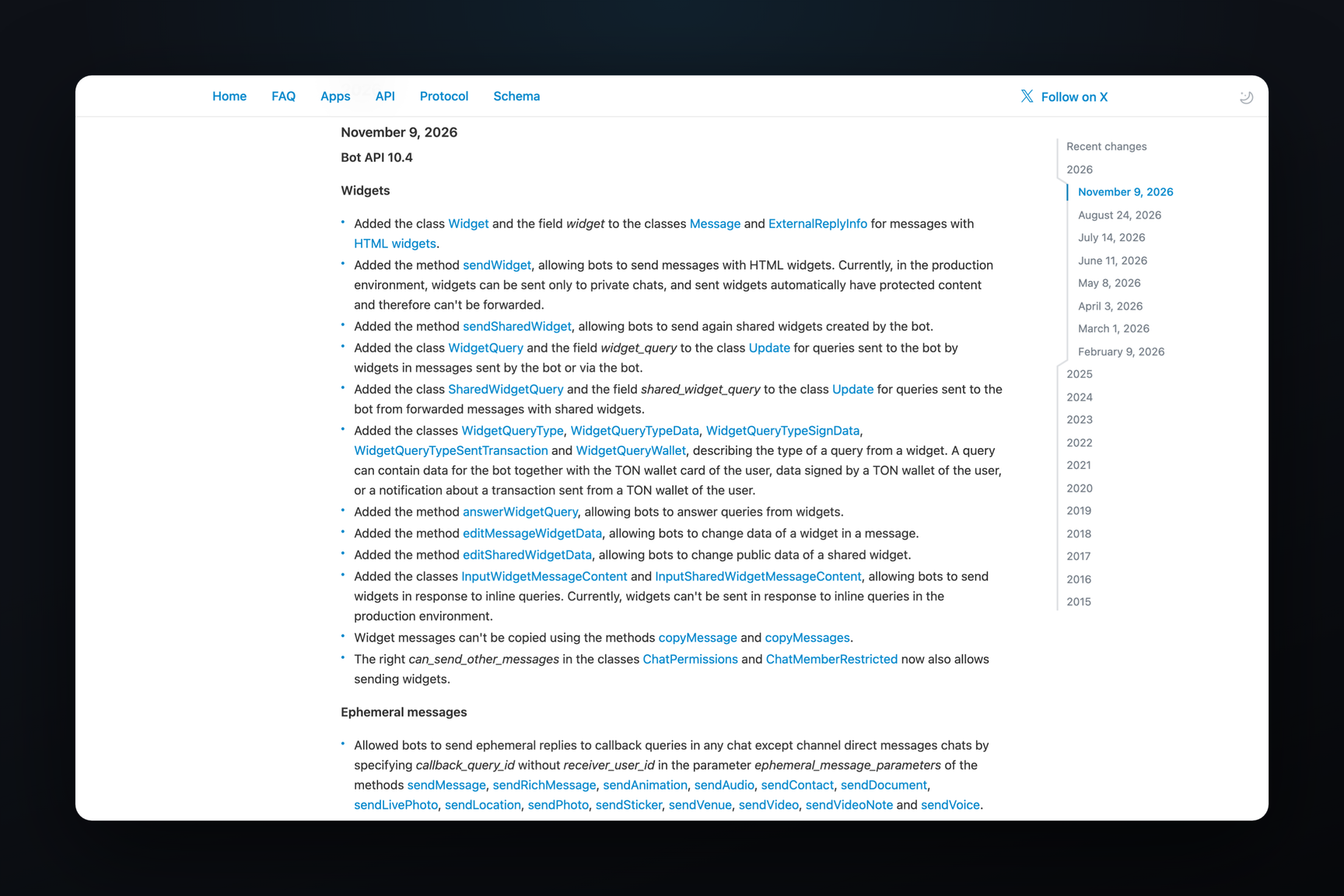
On November 9 Telegram released Bot API 10.4, and its headline feature is widgets: any bot can now send a small program made of HTML, CSS and JavaScript inside a message, using the sendWidget method on the regular API endpoint. Clients got support a little earlier: Telegram Desktop 7.4.0 came out on November 5 with a single line in its changelog, "HTML widgets in bots", and the server is switching widgets on gradually. In production a widget currently lives only in a private chat with the bot and cannot be forwarded. Beyond widgets, the update brings the TON wallet card from user profiles, ephemeral replies to button presses, lookup of a collectible gift by name, and secondary bot usernames ending in ai, app, agent, game and gay. It matters to bot developers and to everyone who has updated their app.
How widgets work inside the clients was covered back in the betas: requests to the bot in the macOS beta, the sandbox and the tap judge in the Android beta, and an overview of what a widget can do. This piece covers what made it into the public API, and everything else in 10.4.
Where widgets work today
The widgets guide describes the full feature set, but only part of it is enabled in production; the rest works on Telegram's test server:
| What | Test server | Production |
|---|---|---|
| Widget in a private chat with the bot, requests to the bot and the wallet | yes | yes |
| Forwarding a widget message | yes | no |
| Widgets in groups | yes | no |
| Widgets in inline mode | yes | no |
Hence the two restrictions the changelog spells out: in production sendWidget sends only to private chats, and a sent widget automatically has protected content, so it cannot be forwarded or saved. The types for inline results with a widget (InputWidgetMessageContent, InputSharedWidgetMessageContent) are already in the API, but the production server does not accept such results. Widgets cannot be posted to channels at all, either directly or via a bot: according to the guide, users will only be able to forward one there. An app that does not know about widgets shows the message as unsupported media with its caption.
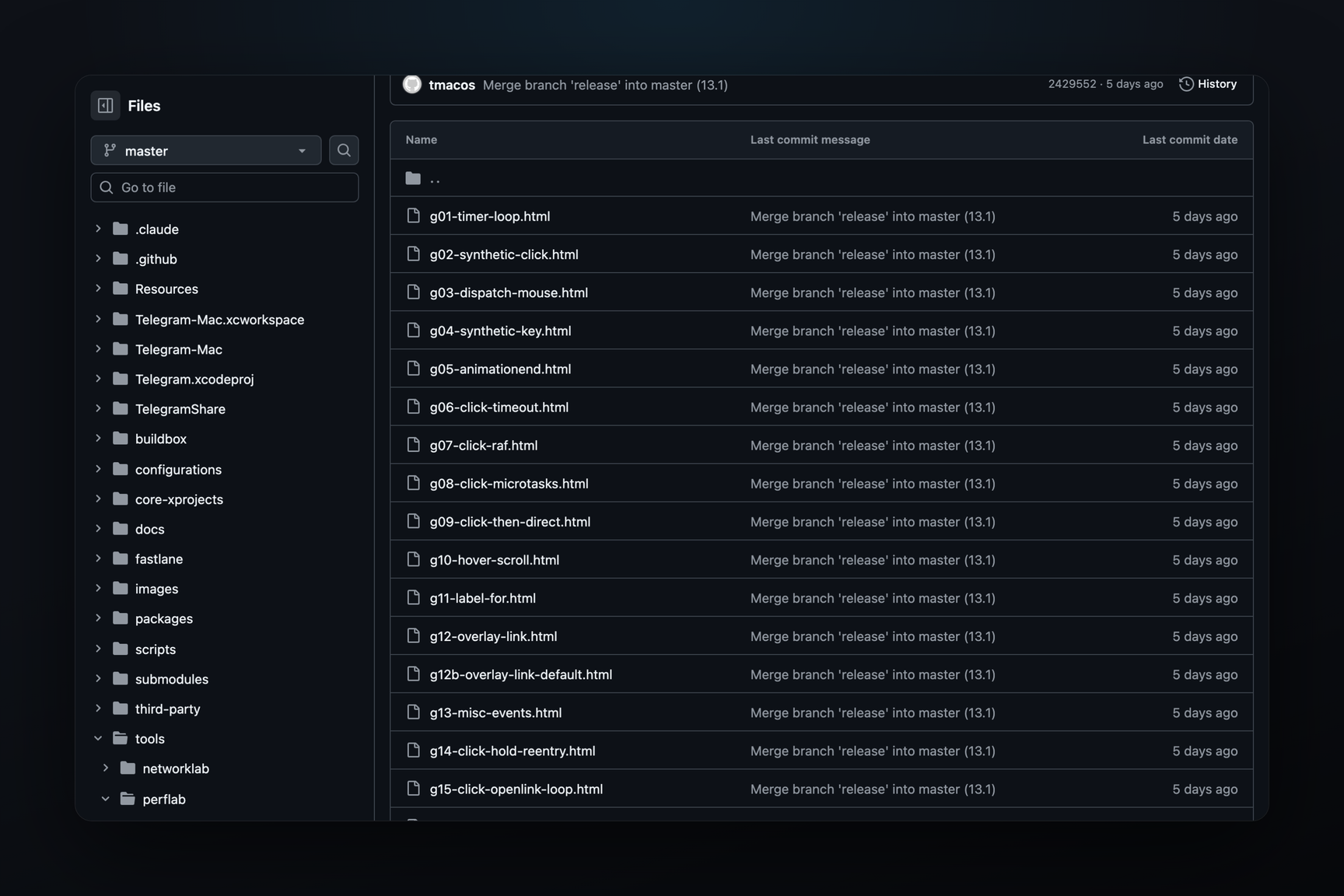
The code went public along with the clients. The Android 13.2.0 sources were published on November 7, and the widgets in them are built from two modules in Telegram's GitHub organization: twidget, native renderers built on a fork of the litehtml engine for Windows, Android, Qt, the web and Apple platforms, under the BSD-3 license; and widget-sandbox, the sandbox shared by all clients, where the widget's JavaScript runs in the QuickJS interpreter and a validator checks every page change against allowlists before it is drawn. That is why the same widget looks the same on iOS, Android, macOS, Desktop and the web.
What a bot can do with a widget
A widget is fixed code plus changeable state. The HTML is set at sending and never changes: there is no method to replace the code, and a new layout means sending a new widget. What changes is the state, and only the bot writes it. There are two kinds: chat_data is tied to a single message and visible only in that chat, while public_data is visible wherever the widget is shown. The widget cannot change its own state; it can only ask the bot with a request.
| Method or type | What it does |
|---|---|
sendWidget | sends a message with a widget: HTML, size, both states, caption, and the flags allow_queries (allow requests to the bot) and is_shared (create a shared widget) |
Widget | the new widget field of Message: code, size, states and the shared widget id |
editMessageWidgetData | changes chat_data and public_data of the widget in a specific message |
sendSharedWidget | sends an existing shared widget again, by its id |
editSharedWidgetData | changes public_data of a shared widget in every message that shows it at once |
WidgetQuery | a request from a widget: who tapped, from which message, data up to 64 bytes |
SharedWidgetQuery | a request from a forwarded copy of a shared widget |
answerWidgetQuery | the bot's answer to a request; only the widget that asked receives it, and it does not change the state |
A shared widget is one object on the server with its code, size and shared state, displayed by any number of messages. A poll, a price or a leaderboard is updated for every recipient with a single editSharedWidgetData call. A shared widget open on screen rereads its state no more often than the cache_time parameter allows.
Limits from the API reference:
| What | Limit |
|---|---|
| HTML | 1–32,768 bytes, and no more than 4,096 bytes after zlib compression at the maximum level |
| Width | from 200 logical pixels up to the bubble width; omitted means full width |
| Height | 50–600; omitted means the height of the content |
chat_data and public_data | up to 1,024 bytes each |
| Caption | up to 1,024 characters |
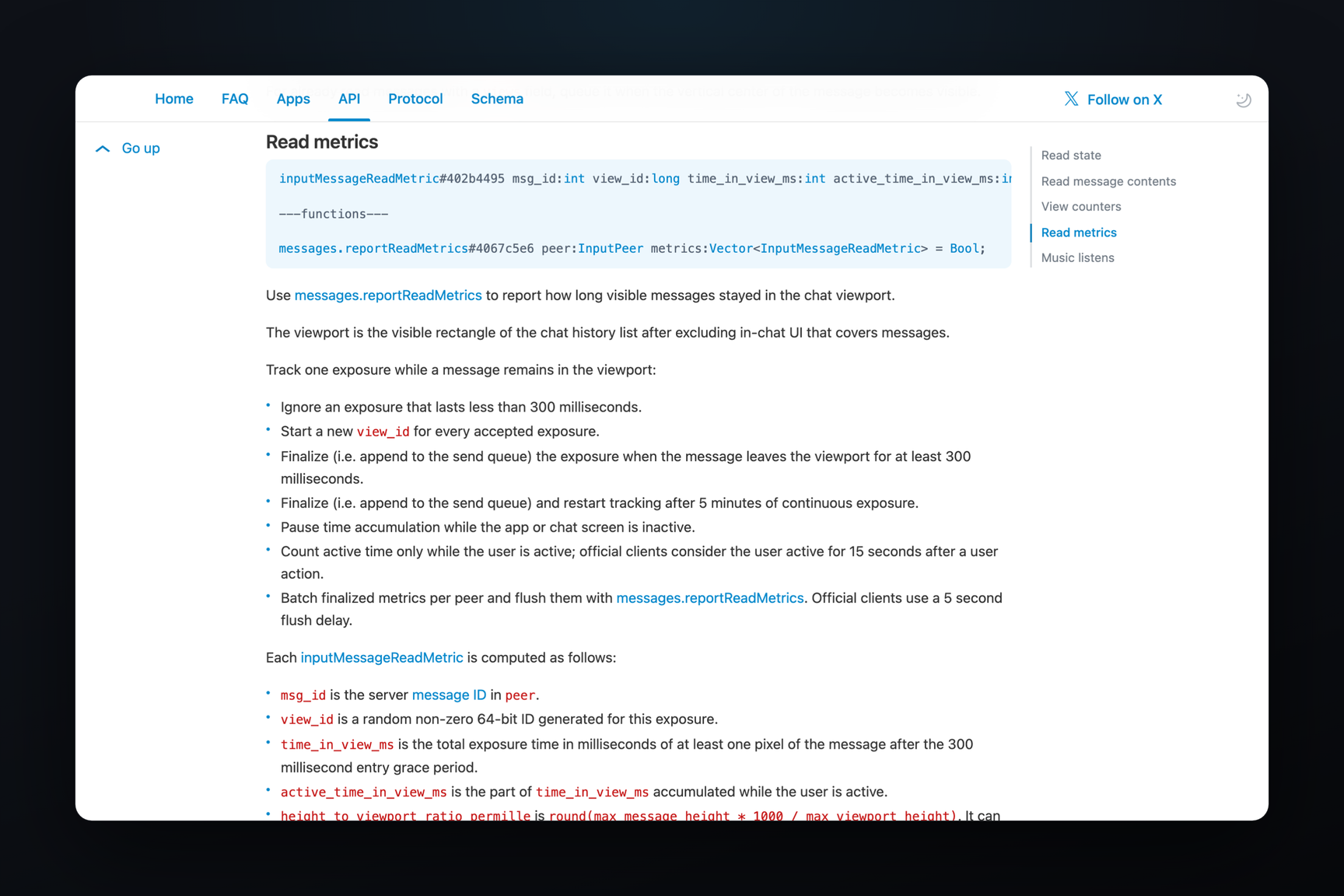
| Request from a widget | 1–64 bytes, no more than 5 requests per 5 seconds from one user to all of the bot's widgets |
| Bot's answer | up to 1,024 bytes, within 15 seconds |
| Editing a shared widget | at most once per second, cache_time 5–3,600 seconds, 30 by default |
Why the 4,096 bytes are not counted the way you might think
The 4,096-byte limit applies not to the file but to the result of compression done by the server itself: the bot sends plain HTML, the server packs it with zlib at level 9 and measures the output. The guide notes that Python's zlib module counts exactly the same way, gzip -9 -n gives about 12 bytes more, and zlib in Node.js can differ from the server by a few dozen bytes either way. Near the limit, trust the Python number. If the bot gets an INPUT_MEDIA_WIDGET_TOO_LARGE error while the HTML is under 32 KB, it has hit the compressed limit.
Three more details from the widgets section. Widget messages cannot be copied with copyMessage and copyMessages. The can_send_other_messages permission in group settings now also allows sending widgets. And sendWidget has the allow_paid_broadcast flag like the other sending methods: up to 1,000 messages per second past the broadcast limits for 0.1 Stars per message.
How a widget takes payment through the TON wallet
A request from a widget comes in three types, and two of them involve Telegram's built-in wallet. The flow is described in the guide and mirrors TON Connect: the widget is the front end of a dApp, the bot is its server. There is no connection, manifest or bridge: the wallet already knows who is asking, the bot that sent the message.
- On a tap, the widget asks the bot together with the wallet. The bot gets a request of type
datacarryingwallet_card, the wallet card from the user's profile with its address and balance. If the user had no wallet, one is created at that moment. - The bot answers with a ready transaction in TON Connect's
sendTransactionformat: 1 to 255 transfers, amounts in nanotons. - The widget calls
wallet.sendTransaction, and the wallet window outside the bubble shows the bot, the amounts and the addresses. The user confirms. - The bot gets a request of type
sent_transactionwith the hash of the sent message (msg_hash) and the wallet the transfer came from.
The guide requires checking the payment on the blockchain (the sender, the recipients, the amounts and the outcome) rather than by the hash alone. The third type, sign_data, is data signed by the user's wallet for the domain bot<bot id>; the signature is checked against the wallet's public key, and the key against the wallet's address on chain. The wallet that pays may differ from the card on the profile: with backup off, a device keeps its own key and its own wallet. Where there is no wallet, in an older app or in a country where it is unavailable, the widget's wallet object is empty, and there is no need to draw a pay button.
What changed around the TON wallet
The wallet card a user shows on their profile is now visible to bots: getChat for a private chat returns the ton_wallet_card field. It holds the address, the balance in the smallest units, the NFT stickers placed on the card, and the address of the NFT whose colors make up the background. Each NFT has a collection, an index, a name, attributes and, if it is a Telegram collectible gift, the gift itself in the gift field. A class was renamed for the sticker coordinates: StoryAreaPosition became AreaPosition, and libraries that generate types from the schema will have to account for that.
Wallet transfers show up in the conversation: the new ton_wallet_transfer service message carries the transaction id, the address of the other party, the amount with a minus sign for outgoing transfers, and the comment if it is not encrypted. Text got two new kinds of entities, ton_address for TON addresses and bank_card_number for bank card numbers, and rich messages got the RichTextTonAddress block.
Gifts
The getUniqueGift method returns a collectible gift by its unique name, the one used in t.me/nft/… links. The response is a UniqueGift object: the original gift, number, model, symbol, backdrop, a Premium-gift marker, the is_burned flag for gifts used to craft another gift, the is_from_blockchain flag for gifts that came from the TON blockchain and cannot be resold or transferred inside Telegram, the color scheme, and the publisher channel. Previously this object reached a bot only inside other responses, service messages about gifts and lists of a user's or chat's gifts. Now a gift can be requested by its name alone.
The second new method, deleteBusinessAccountGift, deletes a regular gift from a managed business account without converting it to Stars. It requires the bot's can_convert_gifts_to_stars right, and only a gift without a limited supply that was not refunded can be deleted.
Gifts also made it into the look of the screen used to share a link to a profile or chat. getChat returns the share_theme field: either up to six regular or custom emoji on a backdrop from the backdrop catalogue (getChatShareThemeBackdrops), or the owner's collectible gift.
Ephemeral replies to button presses
Ephemeral messages, seen by only one member of a chat, came to the Bot API in the summer. In 10.4 they can be sent directly in response to a button press: pass callback_query_id without receiver_user_id in ephemeral_message_parameters, and only the person who tapped sees the reply. It works in any chat except channel direct messages chats. The receiver_user_id and chat_id fields became optional for this, and the bot still has to answer the callback_query itself with answerCallbackQuery. In a group this gives a personal reply to a shared button: for example, everyone who taps "My balance" sees their own number, and the chat stays clean.
Everything else
- Secondary bot usernames. A Premium user can give two of their bots a second username ending in agent, ai, app, game or gay, in addition to the mandatory one ending in bot. Such a name can also be suggested when creating a managed bot with the
KeyboardButtonRequestManagedBotbutton: the bot then gets its main username ending in bot automatically, and the suggested one becomes the second. - Quotes from rich messages. A bot can quote a fragment of a rich message in a reply (
quote_rich_textsinReplyParameters), and theTextQuoteof an incoming quote gained arich_textsfield with its formatting. - Links to topics in a private chat with the bot. A link of the form
t.me/<bot>/<topic number>opens the topic in the private chat with the bot, but only for the user who has that topic. - Verification description. In
verifyUserandverifyChatthe description can now contain links; onlytext_linkentities are supported. - Free message via a link. The
paid_messages_waivedservice message says the sender wrote through a link that waives the Stars fee for messages.
Questions
Can a widget be sent to a group or channel
Not in production: sendWidget sends only to private chats with the bot. Groups, inline mode and forwarding work on Telegram's test server. A widget cannot be sent to a channel even on the test server, only forwarded there.
Why can't a widget from a bot be forwarded
In production every sent widget automatically has protected content, like a message sent with the protect_content flag. Forwarding widgets currently works only on the test server.